
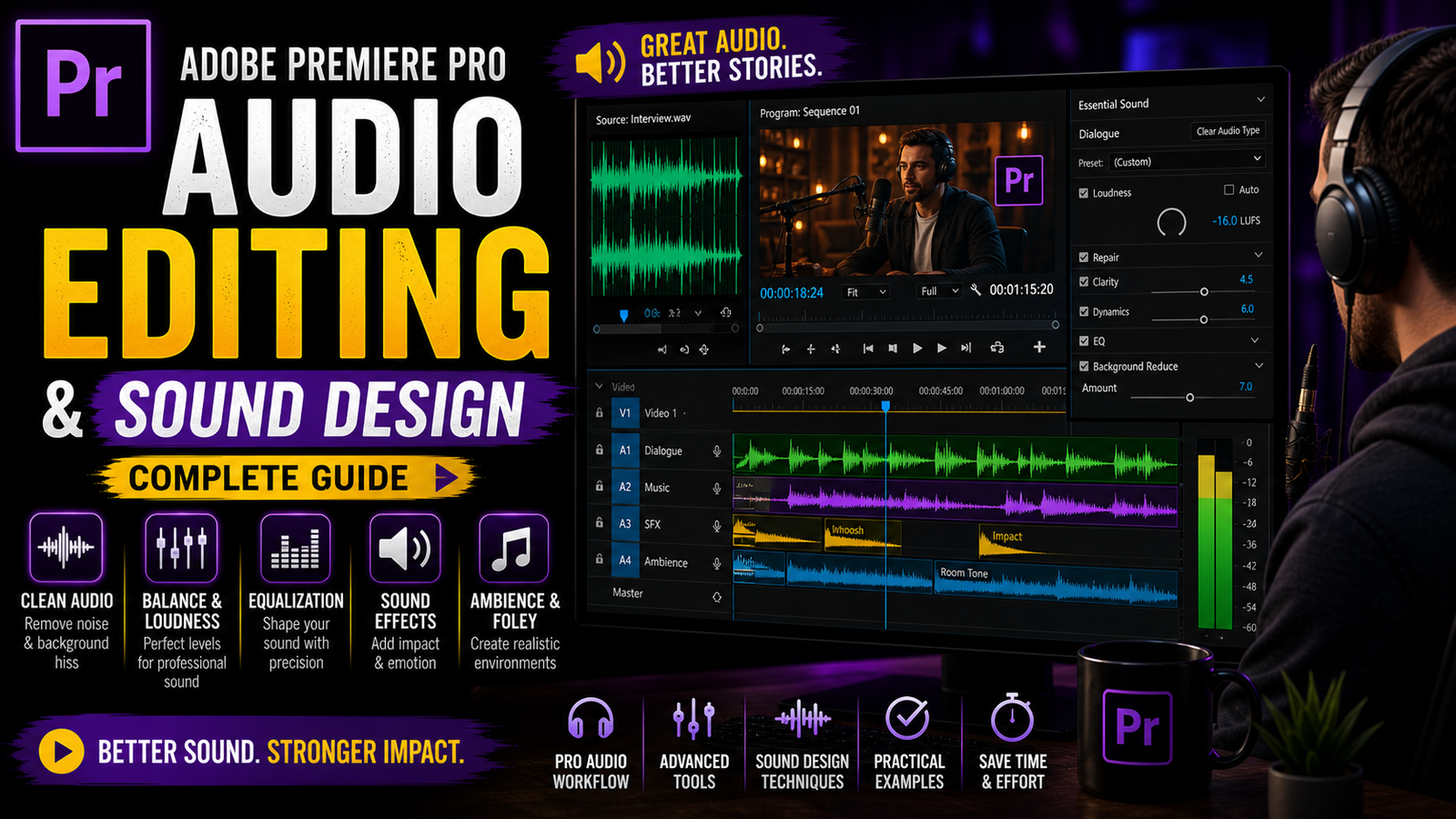
Audio editing and sound design are very important parts of video editing in Adobe Premiere Pro, but many beginners ignore them and focus only on visuals, which can reduce the overall quality of a video. Good audio can make your video more professional, engaging, and easy to understand, even if your visuals are simple. In Premiere Pro, audio editing becomes easy with the help of the Essential Sound panel and timeline tools.
Essential Sound Panel
When you import audio into your project, it appears in the timeline as an audio track, and you can manage multiple audio layers such as dialogue, music, and sound effects separately. The first step in audio editing is organizing your audio properly. You can label your audio as Dialogue, Music, Sound Effects, or Ambience using the Essential Sound panel. Once you assign a type, Premiere Pro gives you useful options to improve that audio automatically. For example, if you select Dialogue, you can enhance clarity, reduce background noise, and improve voice quality.
🔊 Audio Levels & Keyframes
This is very helpful for beginners who do not have advanced audio knowledge. Next comes adjusting volume levels, which is very important to maintain balance in your video. If your background music is too loud, it can overpower your voice, so you need to reduce music volume and keep dialogue clear. You can adjust volume directly in the timeline by dragging the audio level line up or down. You can also use keyframes to increase or decrease volume at specific points, which is useful for fade in and fade out effects. Another important feature is noise reduction, which helps remove unwanted background sounds like fan noise or outdoor disturbances. In the Essential Sound panel, you can enable noise reduction and adjust the level according to your needs.
This makes your audio cleaner and more professional. You can also use equalization settings to adjust bass and treble, which improves the overall sound quality. For example, increasing high frequencies can make voice clearer, while adjusting low frequencies can remove unwanted noise. Another useful feature is reverb, which adds depth to your audio and makes it sound more natural, especially for cinematic videos. However, beginners should use it carefully and not overdo it. Sound effects are another important part of audio editing.
Adding small effects like clicks, transitions, or ambient sounds can make your video more engaging. You can import sound effects and place them in the timeline according to your video actions. Syncing audio with video is also very important. Make sure your sound matches the visuals perfectly to avoid confusion. Premiere Pro also allows you to adjust audio channels and convert stereo to mono if needed.
This is useful when working with different types of audio recordings. Another helpful feature is audio ducking, which automatically lowers background music when dialogue is present. This ensures that your voice is always clear and easy to hear. You can enable this feature in the Essential Sound panel by selecting music and applying ducking settings. This saves time and improves audio balance. You can also apply fade effects at the beginning or end of audio clips to make transitions smooth.
🎼 Sound Effects Placement
These small details can improve the overall quality of your video. It is also important to monitor your audio using headphones while editing, as it helps you hear details clearly. Beginners should always check their audio levels and avoid distortion or clipping. Keeping audio levels balanced and clean is the key to professional editing. Even if your system is basic, you can still achieve good audio quality by using these simple tools. Practice different audio settings and experiment with various effects to understand how they work.
Over time, you will develop a better sense of sound design and improve your editing skills. Audio editing may seem difficult at first, but with practice, it becomes easy and enjoyable. Combining good visuals with clear and balanced audio will make your videos stand out and attract more viewers. Premiere Pro provides all the necessary tools to improve audio quality, and learning these basics will give you a strong foundation in video editing. In the next articles, you can explore advanced sound design techniques and improve your editing workflow further.